
Multifunction Printers
Multifunction Printers in Cleveland, TN
Shop with Bayne’s Business Machines for sales & service of Kyocera multifunction printers with copy, scan and fax functions. Call or visit us on Stuart Road to get started.
Looking for something else?
If you don't see the machine you're looking for here, give us a call! While we only keep certain models in stock, we can obtain the model that works best for you.
Featured Multifunction Printers
Kyocera MA4000WIFX
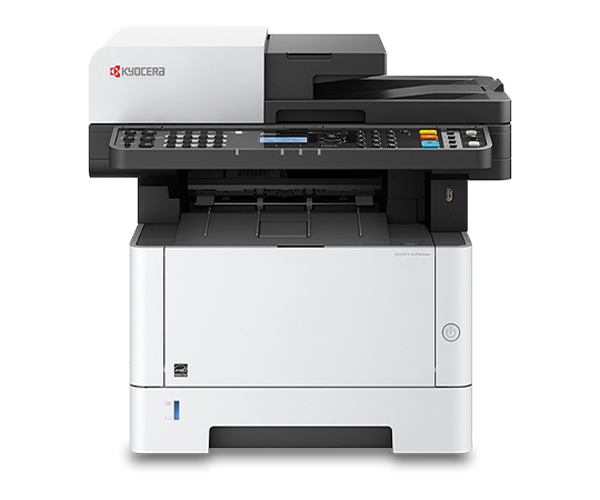
The Kyocera MA4000WIFX is a multifunction printer designed for small to medium-sized businesses and workgroups. It offers a range of features and benefits that contribute to its functionality and efficiency.
Features and benefits of the Kyocera MA4000WIFX:
- High speeds up to 42 ppm b&w
- 5 Line LCD with Hard Key Control Panel
- High quality output
- Standard wireless and Wi-Fi Direct
Things to Consider When Buying an MFP
If you’re shopping for a multifunction printer, chances are this is an investment for your growing business. You might be unsure of where to start or what to look for in an MFP, so here are some key factors to consider:
Workflow & Functionality
As you search for an MFP, consider how well a printer can integrate into your existing workflow and improve overall efficiency. Look for features that align with your specific needs, such as the ability to process large print jobs quickly, handle various paper types and support a high print volume environment. A streamlined workflow can save time, boost productivity and reduce operational hassles.
Connectivity
Connectivity is a crucial aspect to consider when shopping for a multifunction printer, especially as wireless and mobile printing, remote work and cloud integration become increasingly common in workspaces. Wireless and mobile printing allow you to print from various devices, including tablets and smartphones without the hassle of cords. Considering connectivity also ensures compatibility with existing infrastructure and software systems, so you have a seamless integration into your current setup.
Security
When choosing an office multifunction printer, it's essential to consider its ability to protect sensitive documents and information from viruses. Security features in an MFP help you control and safeguard important data, align with your existing security plan and meet strict security standards. These features include encryption software to keep data secure, authentication options to ensure authorized access and card-based security systems that allow users to access their documents safely.